
What is a wallpaper, anyway?
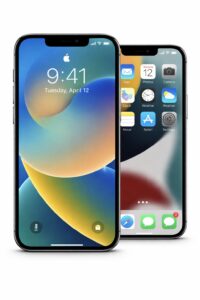
A wallpaper is the background image on your phone.
It’s the picture you see:
- on your lock screen (when your phone is locked)
- and/or on your home screen (behind your apps)
Most phones come with boring default wallpapers.
The good news is: you can change them — to anything you like.
That means:
- your phone looks better
- it feels more “yours”
- and it’s one of the easiest customisations you can make
No tech knowledge required.
Why bother changing your wallpaper?
A good wallpaper can:
- make your phone look cleaner
- make text easier to read
- show off something you like (art, humour, attitude)
- just make you smile when you unlock your phone
There’s no downside.
If you don’t like it, you can change it again in 10 seconds.
Step 1: Download the wallpaper (very simply)
When you see a wallpaper image on this site:
On iPhone
- Tap the image
- Tap Save to Photos
That’s it.
The image is now stored in your Photos app on your phone.
On Android
- Tap and hold the image
- Tap Download image or Save image
That’s it.
The image is now stored in your Gallery or Photos app.
You can now use it as your wallpaper.
Step 2: Set it as your wallpaper (iPhone)
- Open the Photos app
- Find the wallpaper you just saved
- Tap the share icon (square with an arrow)
- Tap Use as Wallpaper
- Choose:
- Lock Screen
- Home Screen
- or Both
- Lock Screen
- Adjust it if needed, then set
Done.
Step 3: Set it as your wallpaper (Android)
- Open your Gallery or Photos app
- Open the wallpaper image
- Tap the three dots or menu
- Tap Set as wallpaper
- Choose where you want it:
- Lock screen
- Home screen
- or Both
- Lock screen
Done.
Don’t worry if you mess it up
You can’t break anything by changing your wallpaper.
If it looks wrong:
- zoom it
- move it
- or pick a different one
You can always go back to your old wallpaper.
Our first wallpapers
Below is our first free to download phone wallpapers


Tap the image you want. Save it to your phone. Try it as your wallpaper.
If you like it — great.
If not — more are coming.
This is just the start.
Enjoy!